
The 'Events' page on Mondial CRx allows you to monitor and keep track of significant actions and operation performed by users.
To access the Events Page, select "Events" from the "Enterprise Setup" drop down.
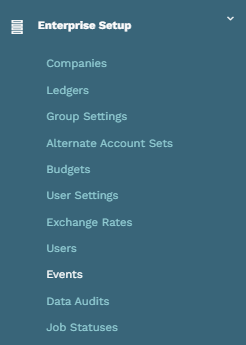
This will redirect you to the "Events" page.
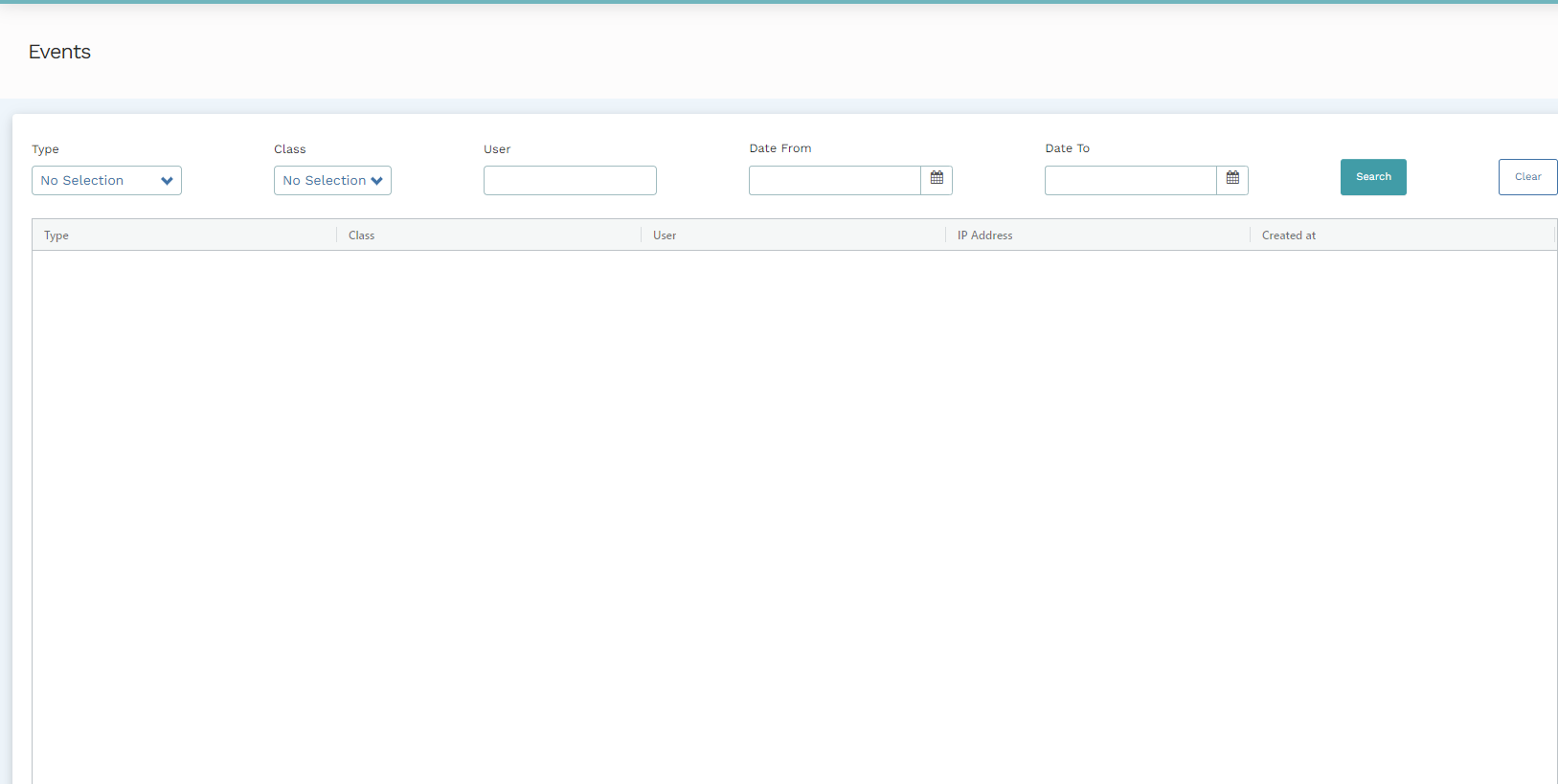
There are several filters available for use on this page:
| Filter | Definition |
| Type |
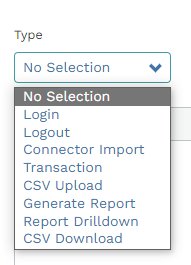
This filter classifies events in accordance with the action or operations. For example, you can filter the event log to show attempted operations such as; Log in, log out, CSV download or upload, etc.
|
| Class |
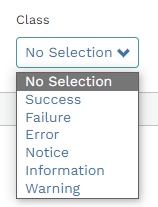
This selection allows you to filter events in accordance with the result of an attempted operation. For example, you can filter the events log to view the operations that were successful or those which were not.
|
| User | Entering a user's login email on this field will filter events on the basis of the user who logs an action. |
| Date From | Filter events starting from the date entered in this field. |
| Date To. | Aggregate events ending on the date entered in this field. |
After applying all the filters, click on "search" and the events logged into the system will be presented on the screen.
To apply a new set of filters, select "Clear" to do away with filters applied in a previous search and reenter the preferred filters for the new search.
Comments
0 comments
Please sign in to leave a comment.