
The companies segment of Enterprise Setup is responsible for the creation and customization of a specific company within a group of companies.
Ideally, this would be the first setup process that a user would get started with - it is an imperative set-up that affects most of the consequent actions; more so the data returned when running a report.
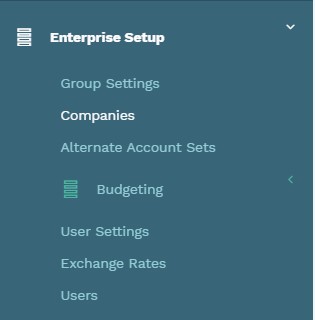
To get started with a company set up, click on the text "Companies" from the Enterprise Setup drop-down:
This will redirect to a list of the companies which have been set up for the group as seen in the example from the Bluesky Corporation Group of Companies:
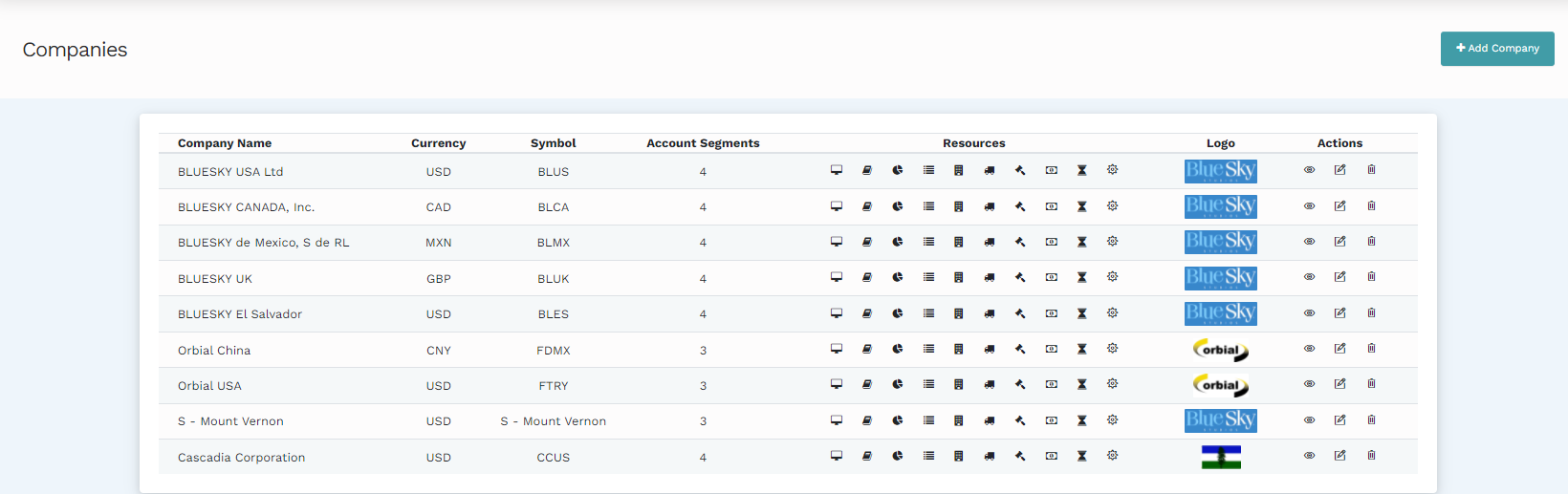
The following options are available on this page:
Add Company: Click on the "Add Company" text box to create a new company.
Delete and Edit: These are available under the actions column. You may edit the features of the companies which had been defined in the set-up. Delete a company by clicking the bin icon on the far right of a specific company's row.
Resources: These are icons available under the resources column. They include; API clients, Natural Account Sets, Reporting Segments, Charts of Accounts, Field Validators, Reporting Currencies, Accounting Periods, and Options Settings.
Creating a Company
To create a company, click on the "Add Company" text box on the top right of the Companies page.
The following page will be presented:
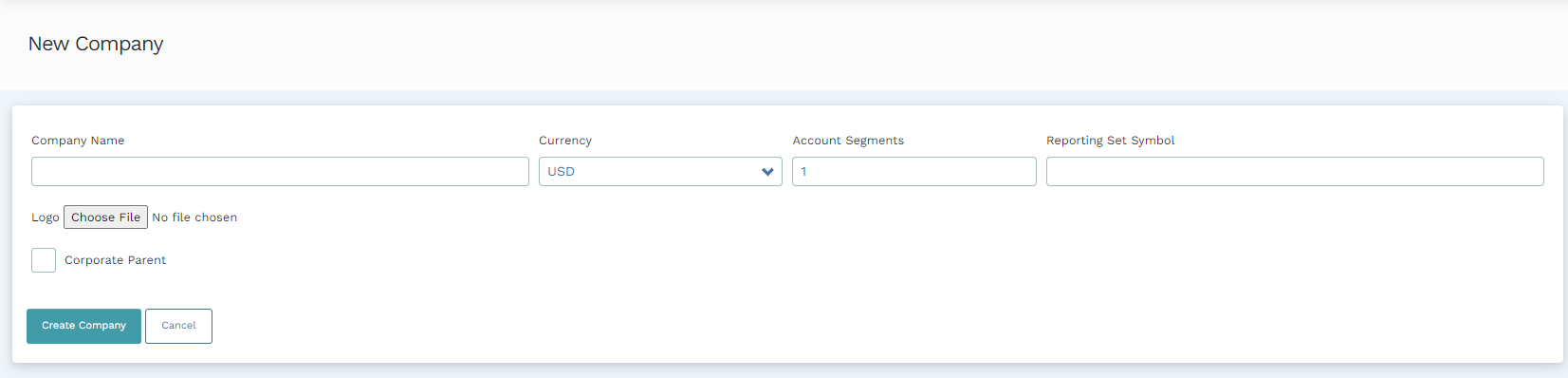
The company name, the reporting currency, and the group symbol can be defined by filling in the right information in the text boxes. Similarly, enter the number of account segments that the new company will have by entering the number in the "Account Segment" field. A company's logo is uploaded by choosing a local file. To do this, click on the "Choose File" text box and your local files will be available for selection.
Once the setup process is complete, click "Create Company" and the new company will be available in the Companies list.
Creating a Corporate Parent
Companies set up as corporate parents enable a seamless, group-wide reporting process to be performed. Corporate companies are associated with subsidiary companies that may adhere to different accounting standards and/or use a reporting currency that is different from the group's target currency. At the corporate company level, data from subsidiaries is collected to create consolidated financial statements. Adjustments to offset the effects of the consolidation process such as the cumulative translation process (which adjusts the gains/losses made after the translation of the subsidiary companies' currencies to the group's main currency) can in effect be performed.
To set up a company as a corporate parent, check the "Corporate Parent" box on the company set up page.
Note
More product help information relating to company setup is available in other articles with these titles: Natural Account Sets, Reporting Segments, Customers and Vendors, Chart of Accounts, Field Validators, Reporting Currencies, Accounting Periods, and Options Settings.
Comments
0 comments
Please sign in to leave a comment.