
Data Audits allow you to track changes, updates, and deletes that have been made to Report writer elements such as Row Formats, Column Layouts, and more. To access Data Audits, click on the Enterprise Setup Drop Down.
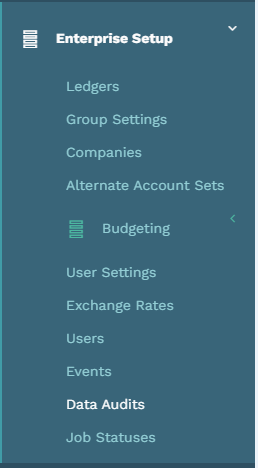
This redirects you to the data audits screen that contains the different filters that are available for the Data Audit Search.
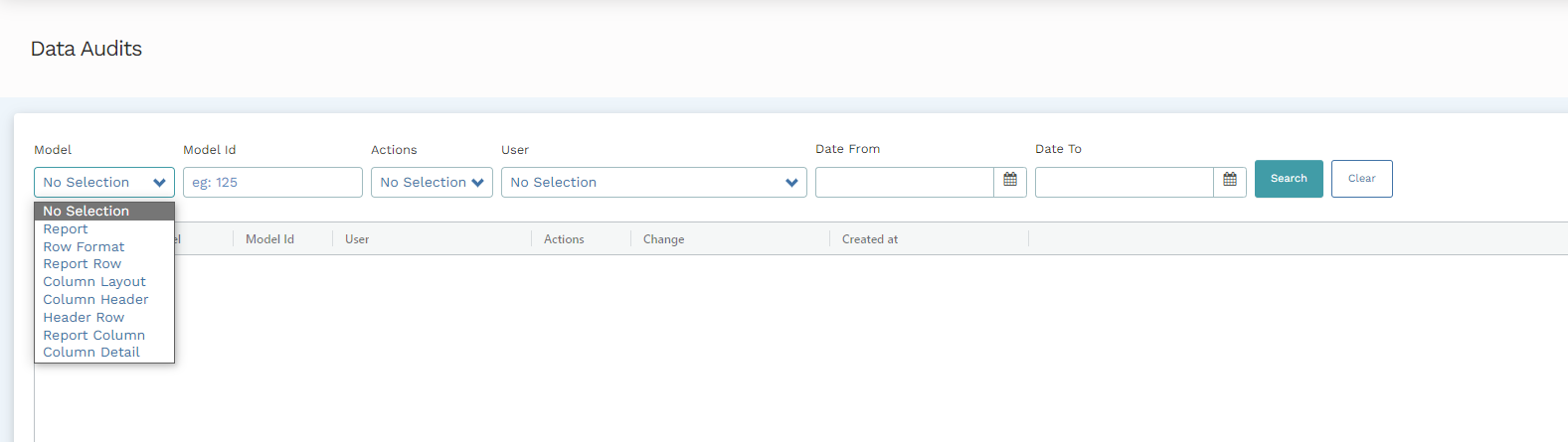
You can use a combination of filters to get a more granular and specific audit of actions taken on the report writer.
Filters
|
Field |
Function |
|
Model |
Models are the specific Report Writer elements that can be updated by a user. Applying this filter limits the search results to a particular element that has been updated or changed. |
|
Model Id |
If known, a user can apply a specific Model Id (the internal reference for a row format, column layout etc.) to filter the data audit search to the particular Model Id in question |
|
Action |
This filter limits the search results to the specific changes that users have made. Three actions reflect on the data audit; Updating, Creating, and Destroying Report Writer Elements. |
|
User |
This limits the search results to data from the changes made by the specified user. |
|
Date From and Date To |
The Date From and Date To filters are applied to define the span of days from which a data audit should be retrieved. |
When the filters have been applied, click on “Search” and a Data Audit listing the changes and modifications on report writer elements will be displayed on the screen. To reset all filters list, click “Clear.”
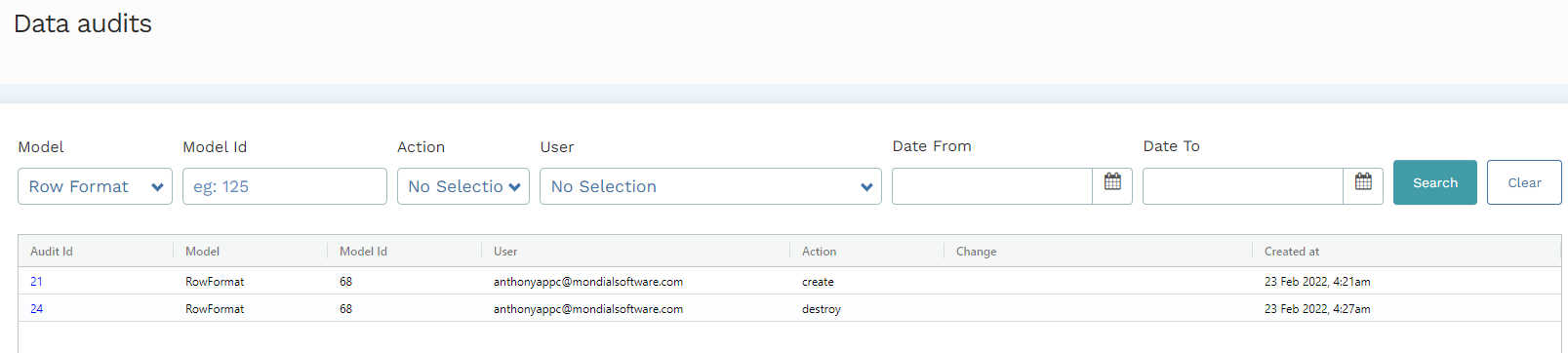
Note: Different filters can be applied at once to offer a more granular data audit.
Data Audit for Reports
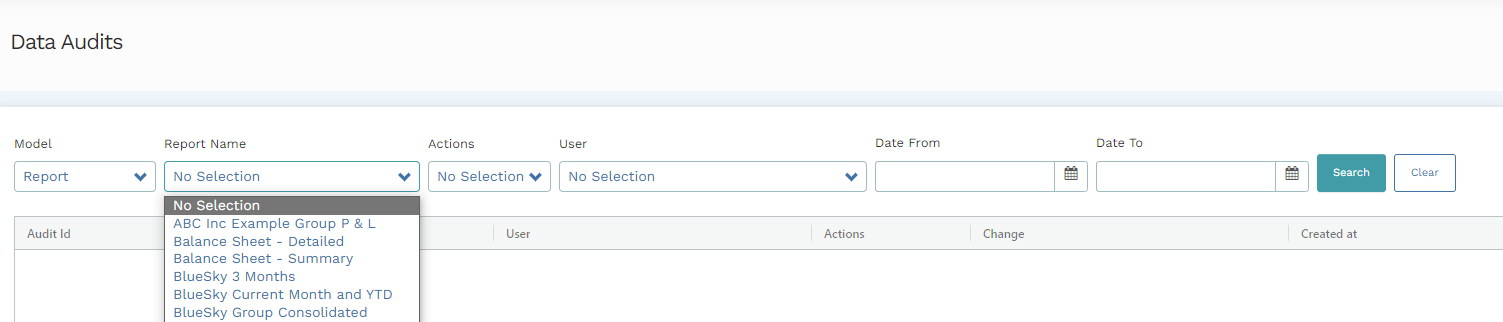
You can also run a data audit for a specific report to analyze the changes made on parts of the report. A data audit for a report yields a detailed report of all the actions done on all the components of the reports (i.e. the report header, report row, etc.). As such, when you select 'Report' from the model drop-down, the Model Id filter selection field changes to Report Name. Select a Report Name and apply other relevant filters and search to get a report of all actions done on the selected report's component.
Drill-Down
A Data Audit report run to screen presents a list of actions that have been performed on the models defined in the filter. Every action is associated with an Audit Id that acts as a unique identifier of the specific action.

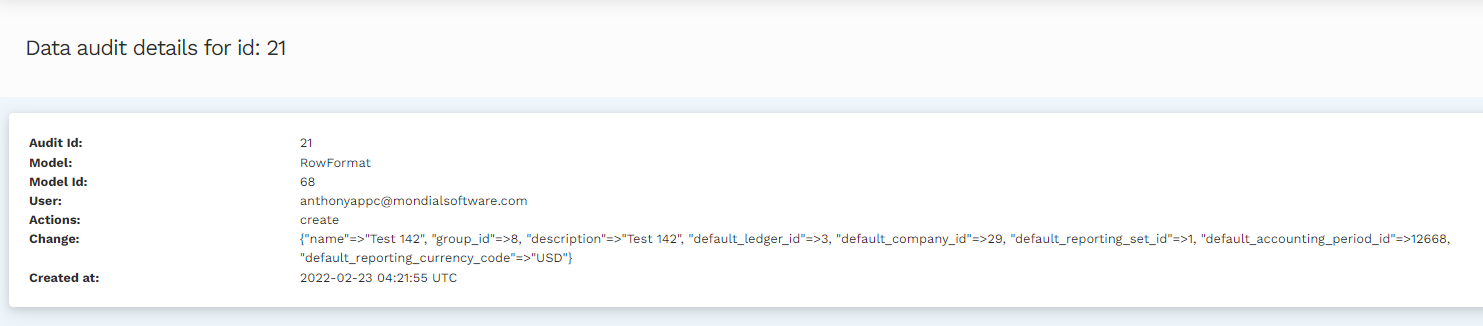
The Audit ID can be drilled down to present in-depth information in regards to an action done on the feature defined in the filters. The drill-down provides further information such as; Audit Id, model and model ID, the user, action, change, and the day the change was logged into the system. From the screenshot presented above, a drill-down on the first result from the list will present results as they appear below:
Comments
0 comments
Please sign in to leave a comment.