
The Company Options Settings establishes the company's default account codes for accounting adjustments associated with realized and unrealized currency calculations, plus the cumulative translation (CTA) process.
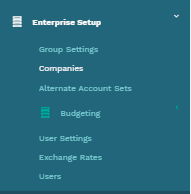
For the access options settings, click on Companies under Enterprise Setup on Mondial CRx accounting hub.
The screen below with company set up resources is presented when you select 'companies.'
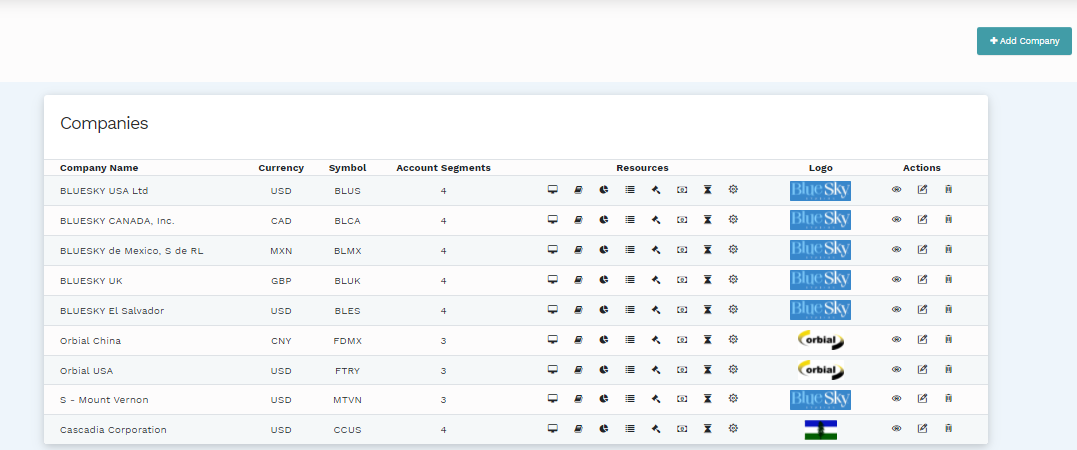
From the Resources column, the icon shown below redirects to the Company Options (on the far left of the Resources).

Company options have the following two main rows. The 'Exchange Gain and Loss Accounts' is sub grouped into 'Default Realized Foreign Exchange Gains and Losses on Intra-account Reconciliations' and 'Default Unrealized Foreign Exchange Gains and Losses account for Revaluations.' The second major row is 'Setting Category Cta Accounts' with the subgroup 'Setting Option Cta Account'.

The "State" column presents the account numbers of the different accounts presented in the row. The information relating to the accounts can be edited by clicking the edit button associated with the appropriate row.
Comments
0 comments
Please sign in to leave a comment.