
In Mondial CRx, Alternate Accounts Sets provide the ability to create alternate charts of accounts which can then be associated with and mapped to, an individual company's underlying local chart.
Alternate Accounts Sets is a critical element for organizations that have to report to external regulatory bodies that require financial data to be reported to them in a different format to that held internally within the company itself.
For example, for regulatory reporting purposes, the French Government, require all conforming companies to report data using a standard country-wide chart of account structure known as the "Plan Comptable". The structure of this standard chart is very likely to be different to the one used within an individual organization for its own accounting purposes. Similarly, for internal group consolidation purposes, a controlling organization may impose a 'group' chart of accounts on its subsidiaries, that it must follow for reporting to corporate. This is likely to be a different, more summarized chart to the one deployed locally.
Alternate Accounts Sets are first created using the steps described below. Once created, they can be subsequently mapped to the local chart of accounts under Enterprise Set Up, Companies, Chart of Accounts, as well as Enterprise, Set up, Companies, Natural Account Sets.
To get started, click on Alternate Account Sets in the Enterprise Setup drop-down on the Mondial CRx homepage.
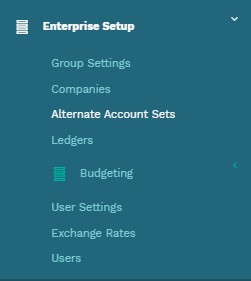
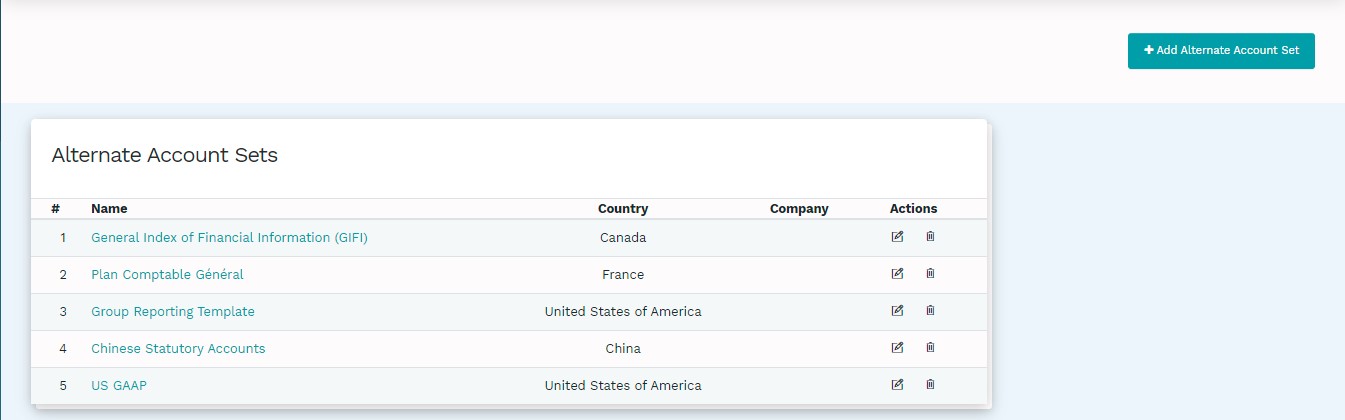
Selecting Alternate Account Sets will take you to the Alternate Account Sets page which would have a list of the pre-defined alternate accounts sets available for use.
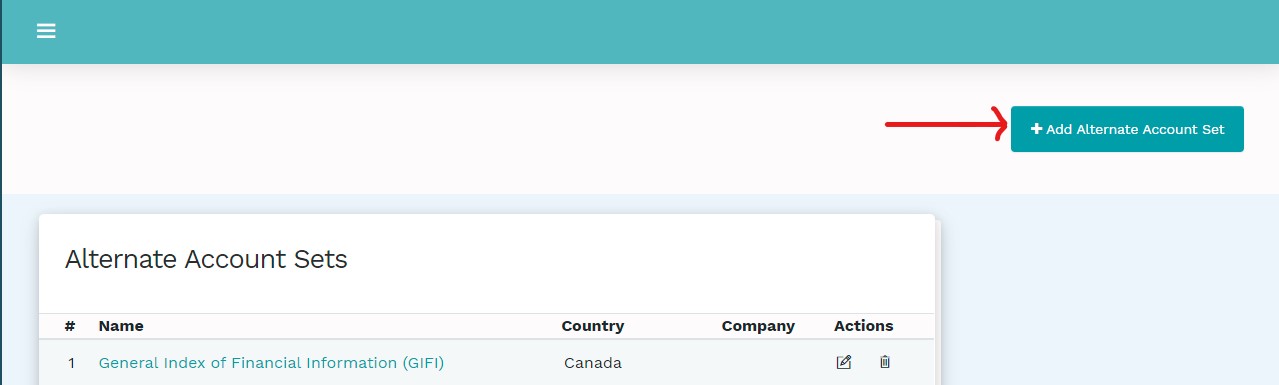
To add a new chart of accounts, click on "Add Alternate Accounts Sets" on the top right of the alternate account sets page.
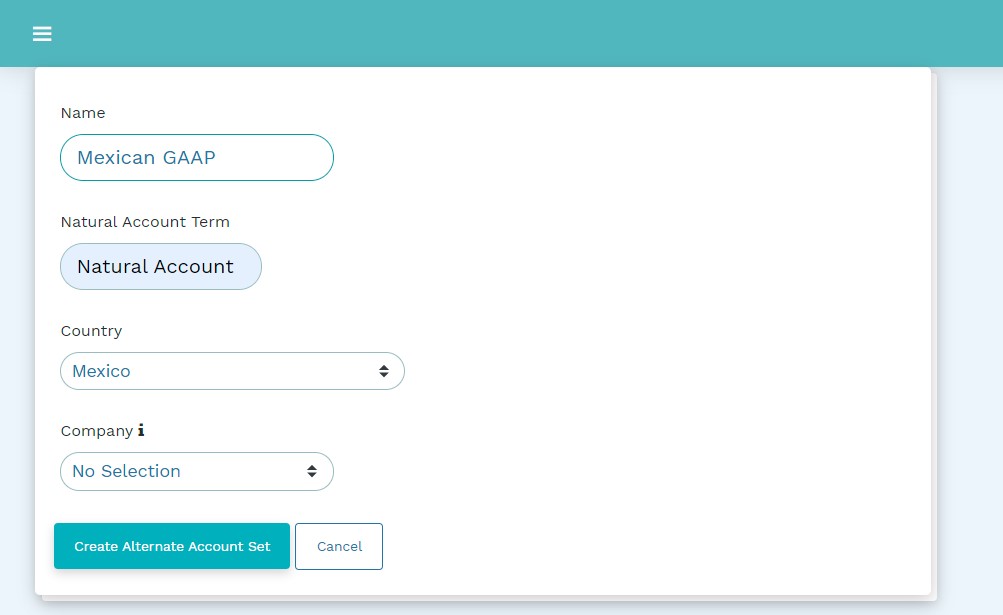
The setup process requires you to key in the name, the natural account term, the country and the company in which the alternate account set will be used in, as shown in the illustration below:
Note:
Leaving the Company field without a selection means that the account set will be accessible to
all the companies. However, selecting a specific company will limit the account set to the
selected company.
Once the relevant information has been keyed in, click "Create Alternate Account Sets" and the new account set will be available in the COA list as shown below
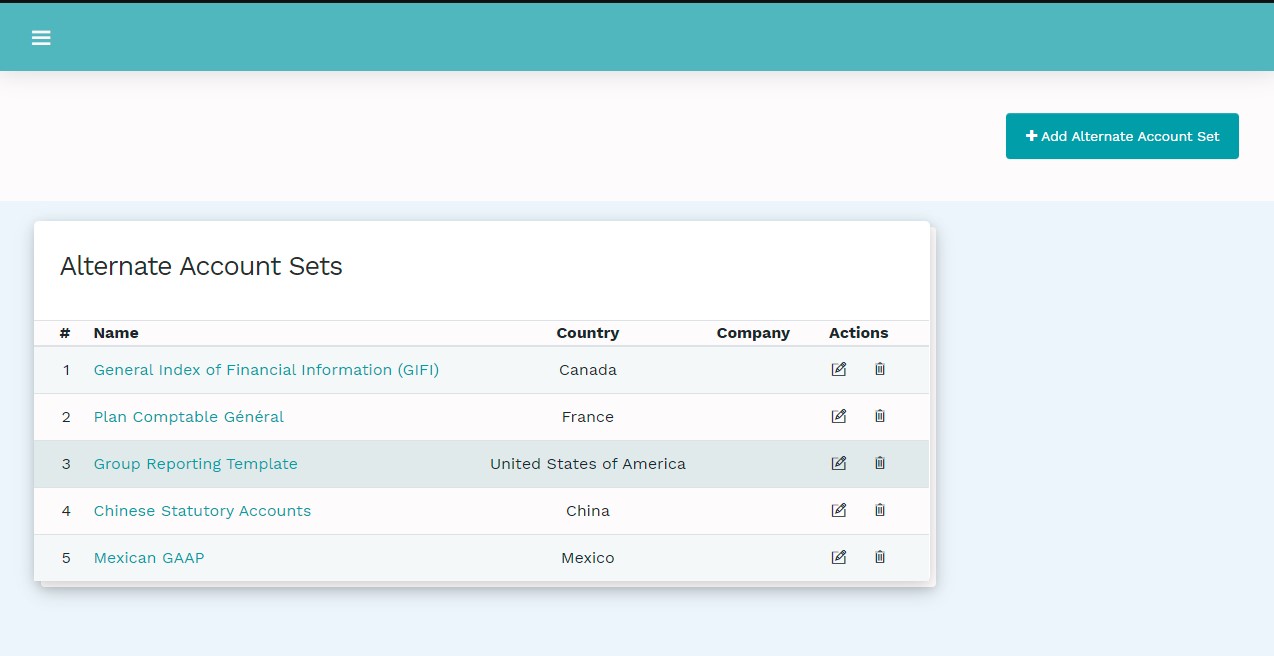
Populating an Alternate Chart Set
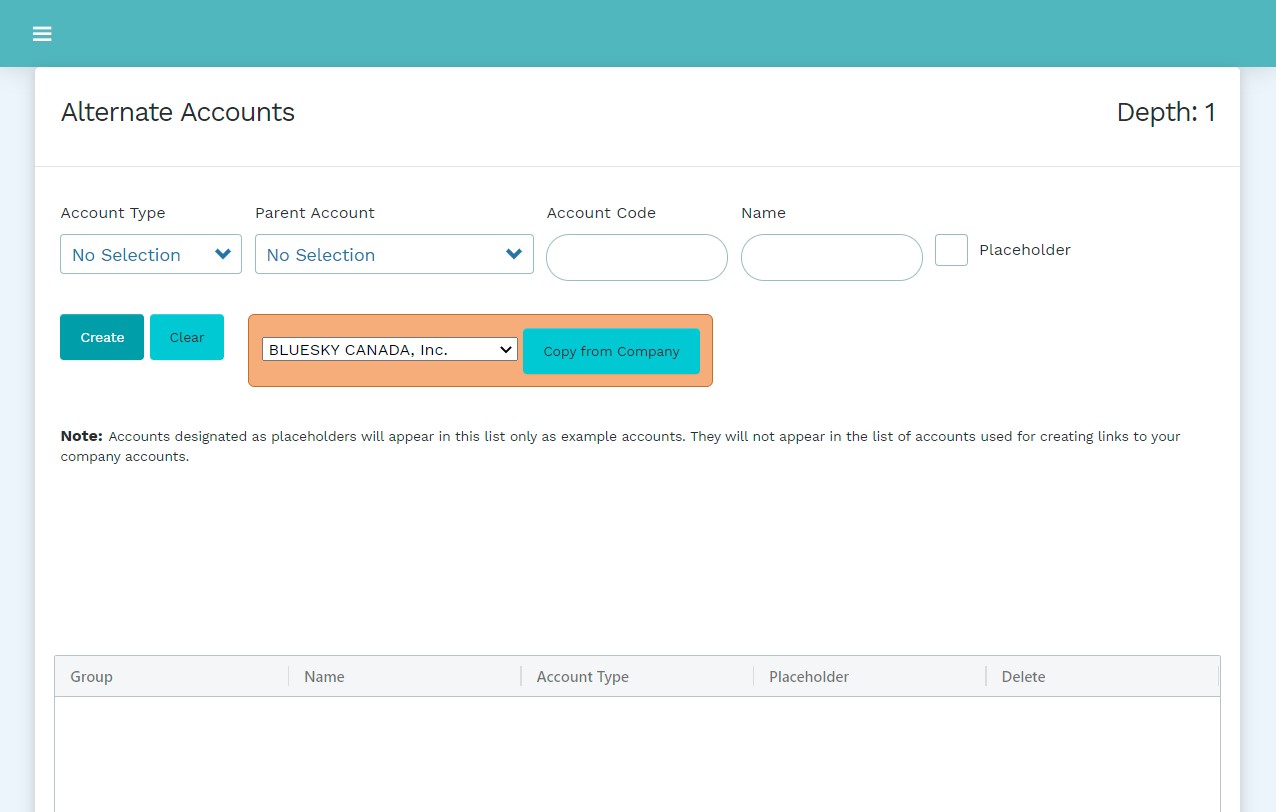
To add or edit accounts with the Alternate Chart Set, click on the hyperlink associated with the name text of the Alternate Account Set. The following screen will be presented:
Note:
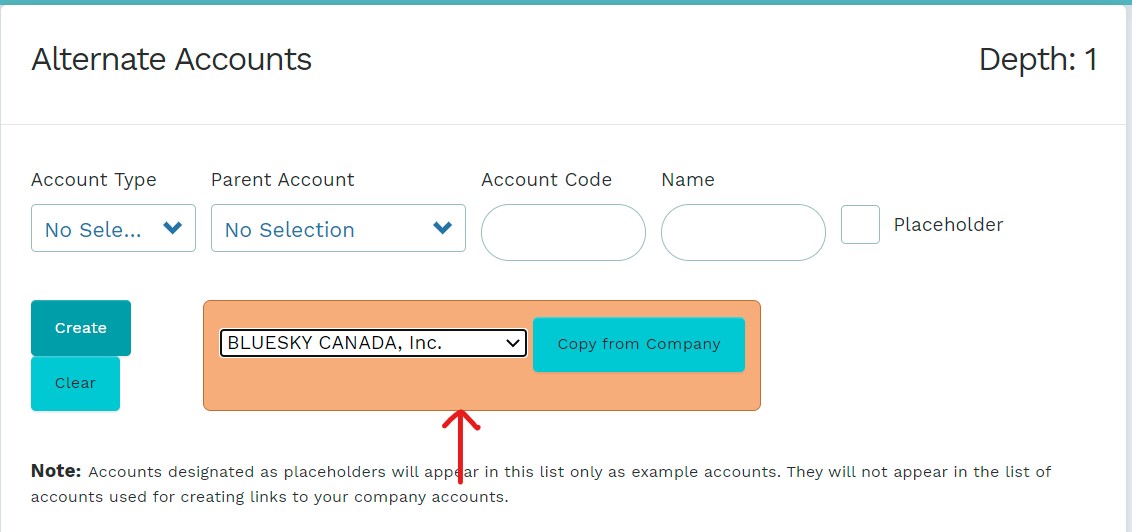
Mondial CRx allows you to copy a COA from another company. The orange box on the Alternate Accounts editing page has a drop-down with a list of the companies whose charts can be copied. Choose the relevant company and click "Copy from Company" and account sets from the selected company will be pasted on the data field.
The following fields need to be filled to set up a new alternate account set:
| Field | Nature | Description |
| Account type | Dropdown | There are different accounts and sub-accounts in the drop-down which allow you to select the relevant account type available in a new chart of accounts |
| Parent Account | Dropdown | This dropdown allows the creation of a hierarchical relationship of accounts. Selecting a parent account enables the combination of different accounts into larger accounts of similar nature. This is critical more so in creating consolidated financial statements. |
| Account Code | Data entry | Enter the relevant general ledger account code for the alternate account set to classify its activities and balances. |
| Name | Data entry | Enter the preferred name of the new alternate account. |
| Placeholder | Check box | Accounts designated as placeholders will appear in this list only as "example" accounts. They will not appear in the list of accounts used for creating links to your company accounts ( Enterprise Set Up, Companies, Chart of Accounts) |
Comments
0 comments
Please sign in to leave a comment.