
When generating final statements, users may need to analyze the detailed activities that have given rise to the value displayed on the surface of a report. The drill-down functionality on the Mondial CRx accounting hub provides this capability. The drill-down functionality is available on the reports segment of both Templated Reports and User Defined Reports for reports with an HTML output.
There are a number of approaches that can be taken when drilling down to transactions; either via the transaction's ID or by drilling down the numerical balance of the account.
To drill down on a value displayed on a report, hover the mouse cursor over either the transaction ID or the balance of an entry on the report. The cursor will change from an arrow to a pointing finger (variations may exist depending on mouse configuration) to indicate the presence of a hyperlink.
In a templated trial balance on an HTML output, the balance contains a hyperlink as shown below.
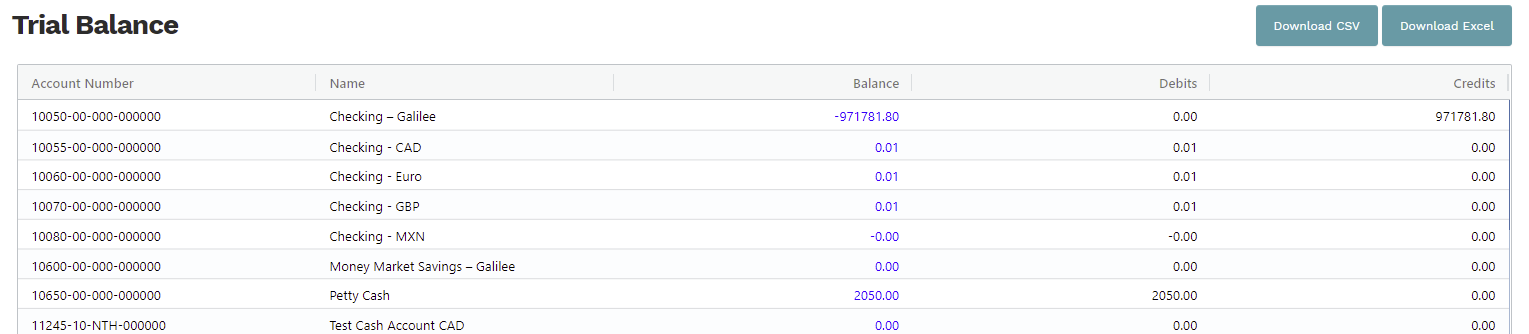
Clicking on the hyperlink will redirect you to a new browser tab that shows the details of the account. Selecting a hyperlink will redirect to another page with the account details.
From the example above, clicking on petty cash will redirect to a screen with the balance details as shown below:
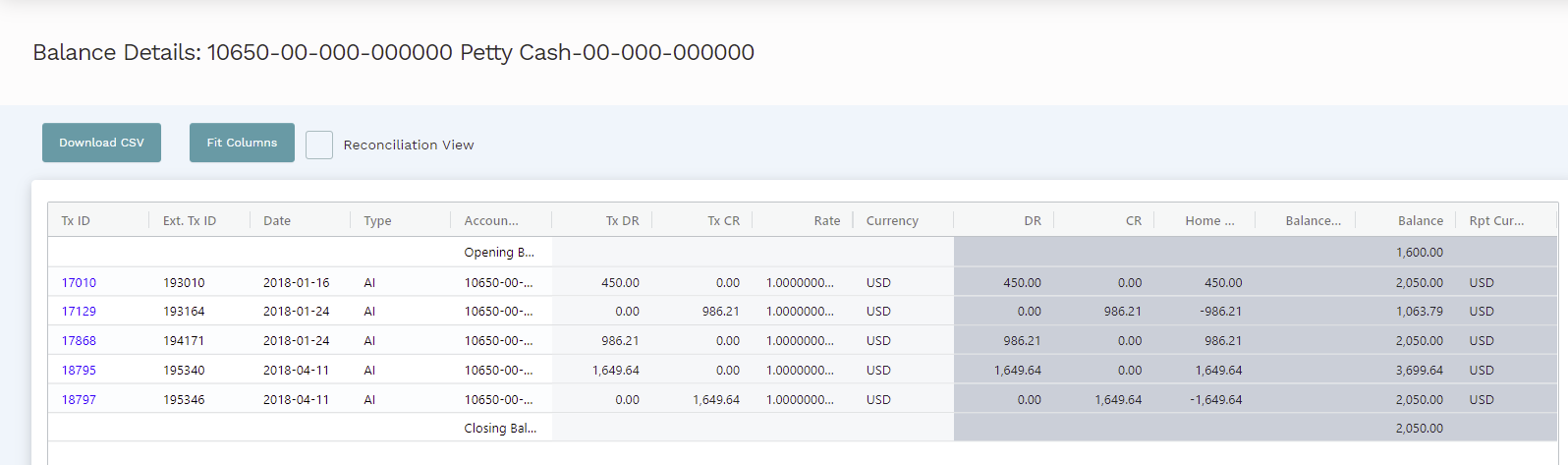
On this screen, there are further hyperlinks that can be used to get more insight into the account.
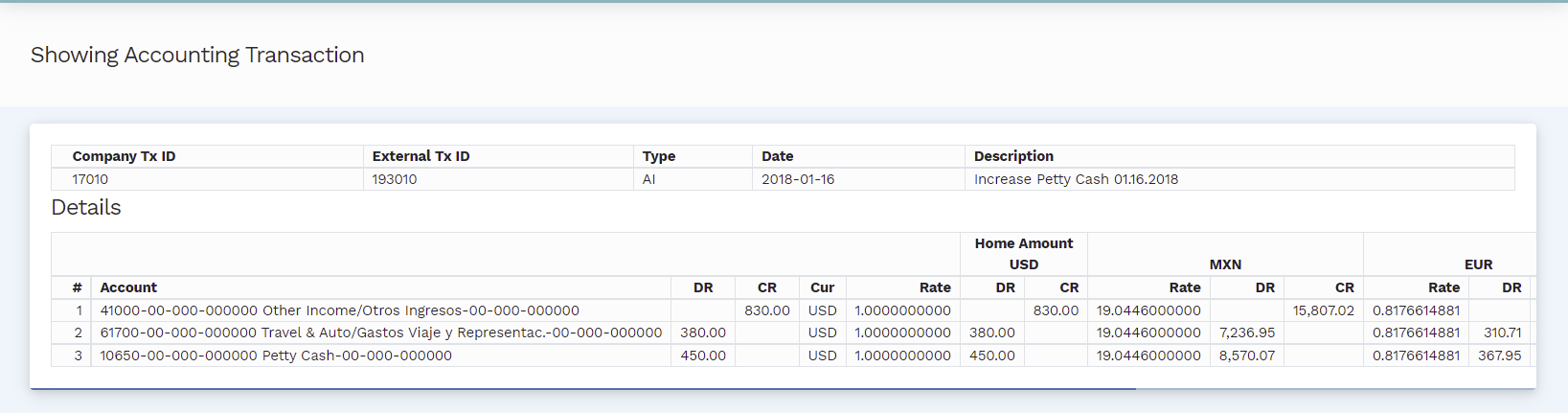
Clicking on the hyperlink on the transaction id in the example above will redirect to an invoice as shown below:
When analyzing a value presented from a Mondial Report Writer report, a "Multilayer" drill down is available, depending on the level of summarization that has been deployed to calculate the value displayed.
Below is a sample of a multi-layer drill down based on the sample report which was run in the guide. The snapshot shows an HTML output of the simple P&L report titled ABC Inc Example P&L.

Clicking on the balance for sales on "This Period Actual" will initiate a drill-down and redirect to a new page displaying the balances of the sub-accounts which make up the sales account as can be seen below:
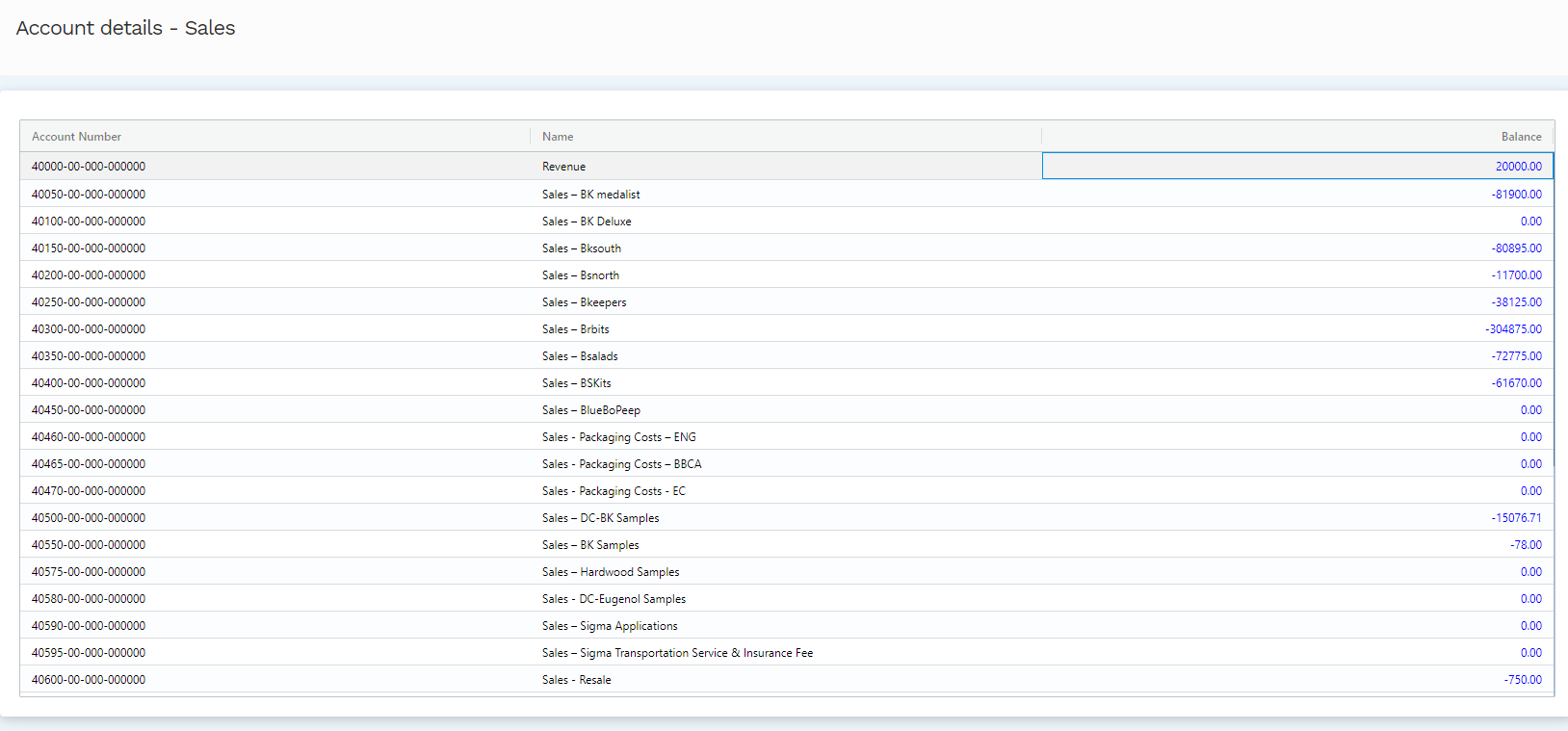
Hovering over the balance for any sub-account within the sales account indicates the availability of another hyperlink. Clicking on the hyperlink will redirect to the transactions which were logged into the revenue account. The example below shows a drill-down of the Sales BK medalist subaccount;
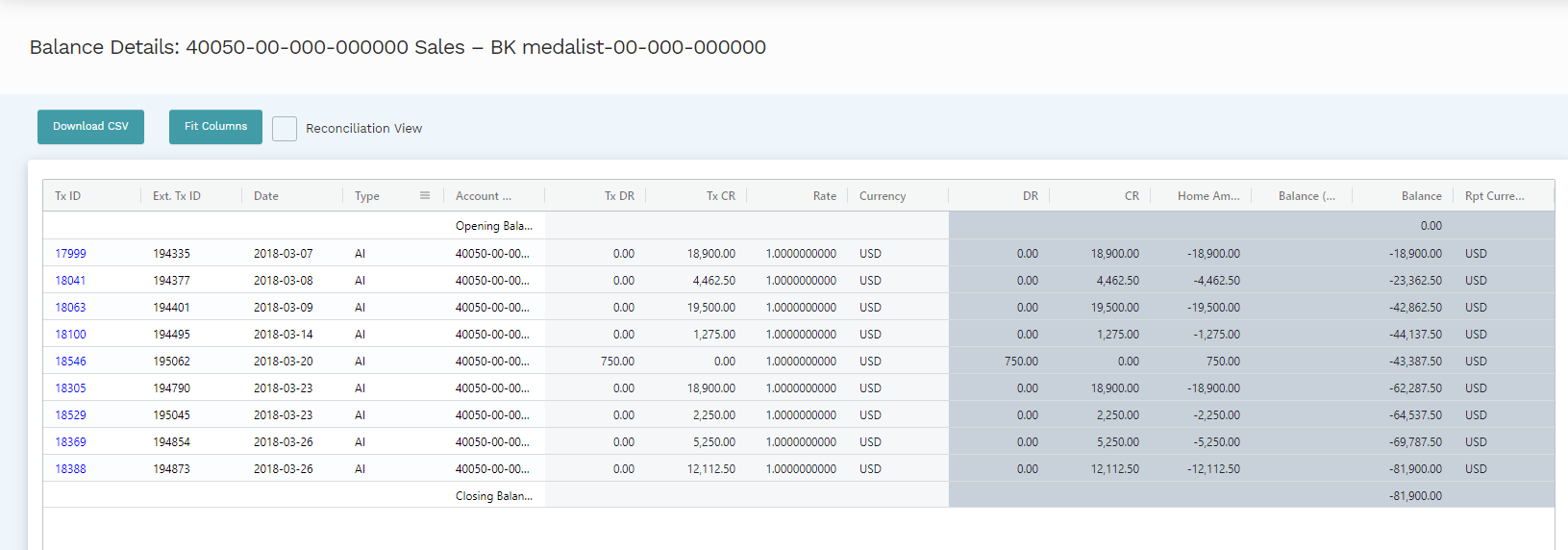
This page introduces a new feature of the drill-down functionality; drilling down via a hyperlink associated with the transaction ID instead of the transaction balance. This offers a detailed insight into the transaction which is granulated to the debit and credit entries in the transaction and account balances adjusted to different reporting currencies. The image below shows a drill-down into the account with the ID 18041.
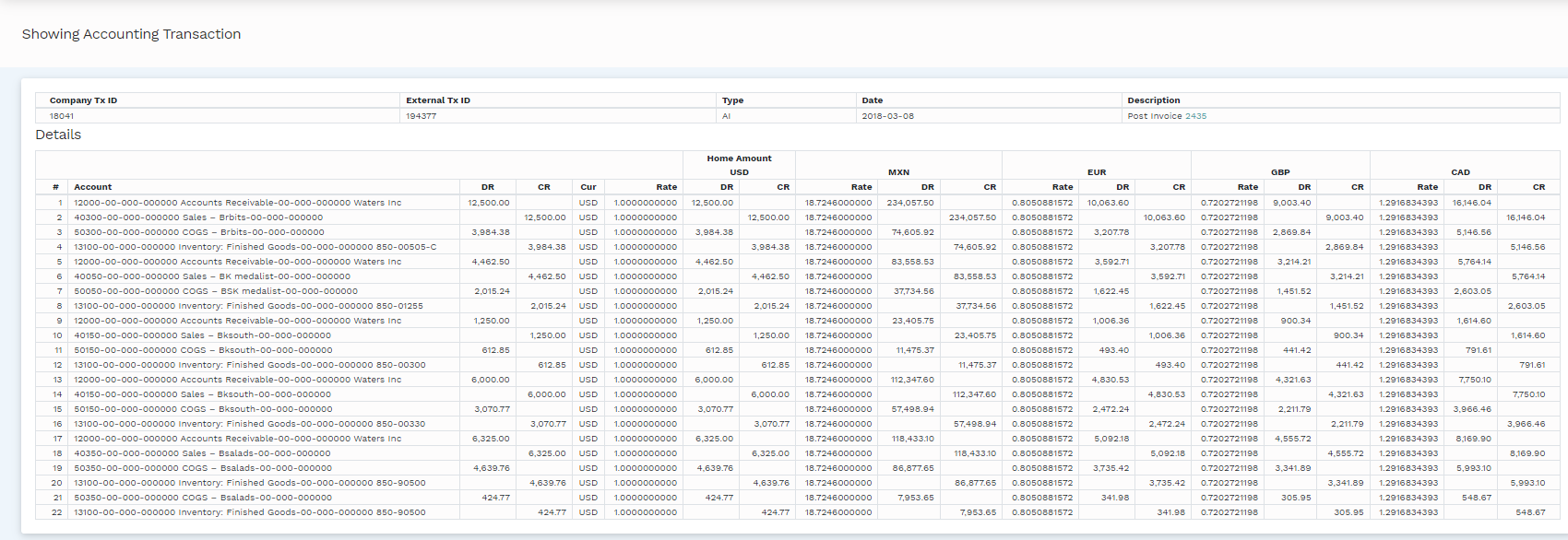
The drill-down functionality simplifies the process of navigating to detailed layers of transactions, translations and actions that have occurred in the system. Using the drill-down functionality in Mondial CRx will significantly help in clarifying and understanding the detailed information which makes up reports, accounts and balances.
Comments
0 comments
Please sign in to leave a comment.