
Within Mondial CRx, users can define Format Codes that work in conjunction with Row Formats.
A format code is simply an expression of the way in which an individual row within a row format will be displayed when a report is run. A format code can affect:
- Font Size
- Font Color
- Background Color
- Line Color
- Bold or standard display
- Underlining type
- Line through
A Format code is given a name and any of the attributes above can then be applied to the code.
From the Report Writer menu on the Mondial CRx home screen select Format Codes
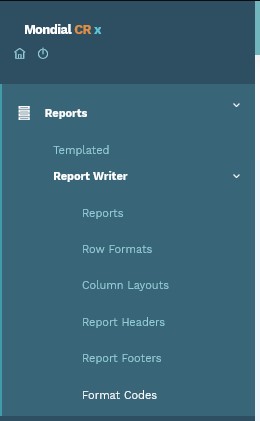
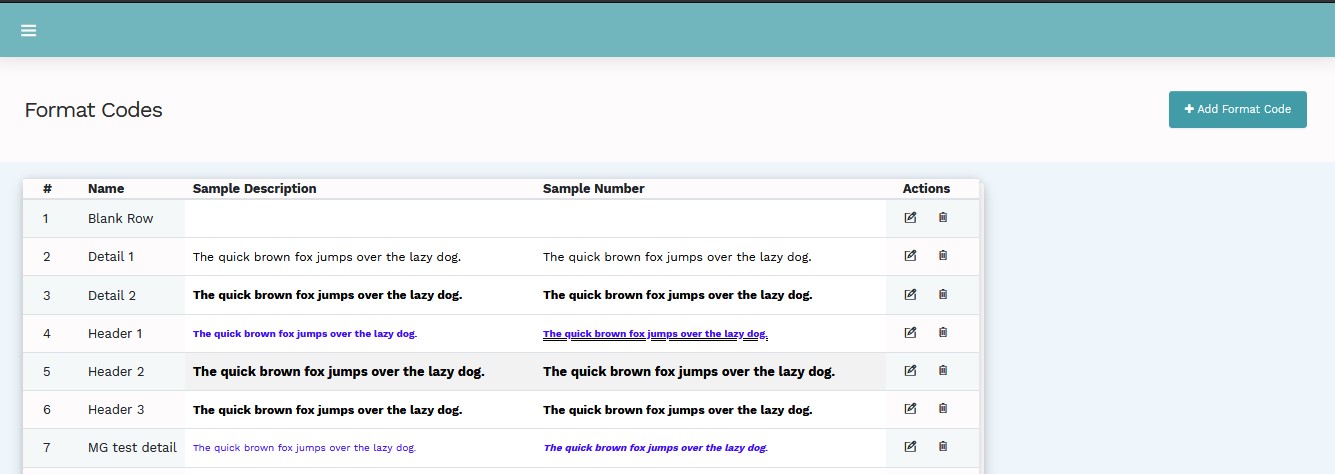
Selecting this option will provide a list of defined format codes.
To add a new Format Code select the add button at the top right of the screen.
To display/edit an existing code, select the edit symbol in the Action column to the right of the relevant code.
For the purposes of this guide, the screen below displays the attributes for the code “Detail 1”.
Guidelines for Entry
Options are available to control the format of both descriptive and numeric columns. Multiple selections can be made. Color controls apply to both descriptive and numeric columns.
|
Option |
Nature |
Description |
|
Name |
Data Entry |
The description for the Code |
|
Bold |
Check Box |
Check for true |
|
Italic |
Check Box |
Check for true |
|
Underline |
Check Box |
Check for true |
|
Double Underline |
Check Box |
Check for true |
|
Overline |
Check Box |
Check for true |
|
Double Overline |
Check Box |
Check for true |
|
Line Through |
Check Box |
Check for true |
|
Currency Symbol |
Check Box |
Check to include $ |
|
Indent Size |
Entry Box |
Enter the number of characters that will be indented when the user selects this format code. Note: this applies to descriptive fields only. |
|
Font Color - foreground |
Select |
Select from Palette |
|
Font Color - background |
Select |
Select from Palette |
|
Line |
Select |
Select from Palette |
A created Format Code will be available for use in the Format Code dropdown in the Row Format set up screen.
Comments
0 comments
Please sign in to leave a comment.